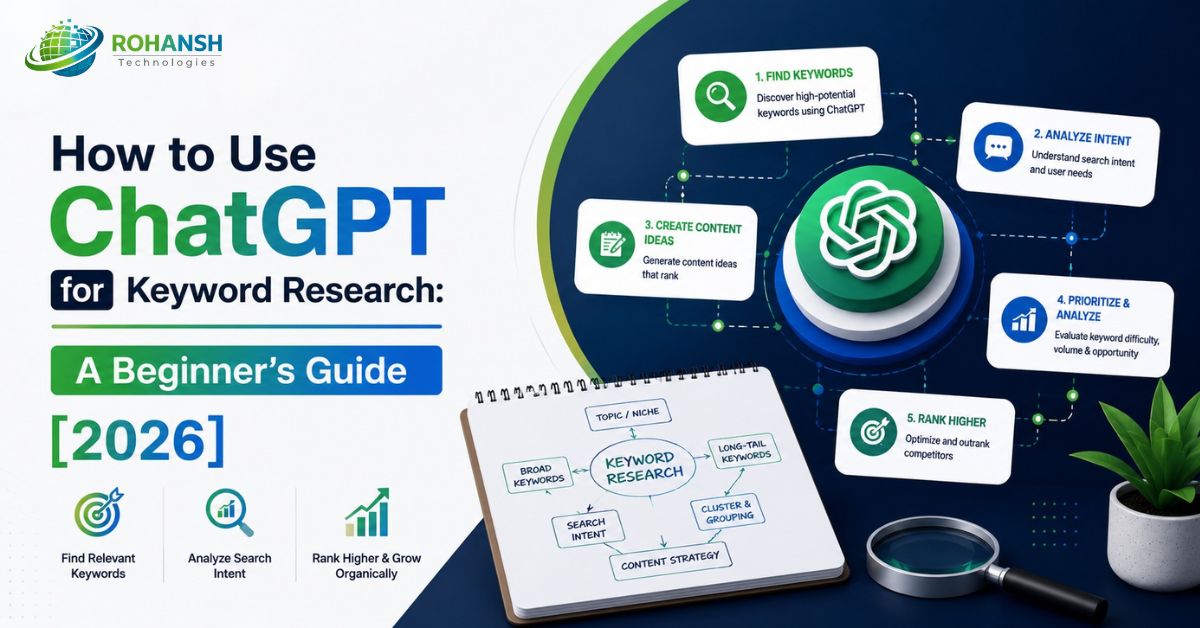
Most keyword research guides tell you to open Ahrefs, enter a seed keyword, and filter by difficulty. That advice is solid — but it assumes you already know what you're looking for.
What if you don't?
What if you're starting a new website, entering a niche you don't fully understand yet, or trying to find the angles your competitors have completely missed? Traditional keyword tools are excellent at validating ideas. They are significantly weaker at generating them.
That's exactly where ChatGPT changes the game.
Learning how to use ChatGPT for keyword research doesn't replace your existing SEO tools — it fills the gap they can't. It gives you a brainstorming partner that understands your niche, thinks through your customer's language, maps search intent, clusters related topics, and surfaces angles that no keyword tool's database was built to find.
In 2026, AI-driven keyword research is now the standard for staying competitive — and the marketers who understand how to combine ChatGPT's ideation power with traditional tool validation are working faster, ranking smarter, and building better content strategies than those relying on either approach alone.
This guide teaches you exactly how — step by step, with real prompts you can copy and use today.
What ChatGPT Can and Cannot Do for Keyword Research
Before diving into prompts, understand the boundary clearly. This is the mistake most beginners make — they either expect too much from ChatGPT or dismiss it entirely.
What ChatGPT does well for keyword research:
- Seed keyword generation — give it your niche, and it maps the entire topic landscape in seconds
- Long-tail keyword brainstorming — it thinks in natural language, the way your audience actually searches
- Search intent classification — it can categorise any keyword list by informational, commercial, or transactional intent
- Keyword clustering — it groups related keywords into content clusters automatically
- Competitor gap thinking — it identifies angles and subtopics that established sites typically ignore
- Question-based keyword discovery — it surfaces the exact questions your audience is asking, mapped to FAQ and featured snippet opportunities
- Local keyword variation — it adapts keyword suggestions to specific cities, regions, and markets
What ChatGPT cannot do:
- ChatGPT can't tell you anything about keyword search volume — a regular keyword research tool can, and it should be used as a supplement, not a substitute
- It cannot tell you keyword difficulty — whether you can actually rank against existing competition
- It cannot access real-time search trends or breaking news topics
- It cannot analyse your specific domain's existing authority or ranking gaps without the data you provide
The correct workflow for how to do keyword research using ChatGPT is: use ChatGPT to generate and organise ideas, then validate every keyword in a traditional tool like Google Search Console, Ahrefs, SE Ranking, or Ubersuggest before committing to content production.
Think of ChatGPT as having an expert on any topic armed with the right information — if you ask it the right question. That framing is precise. Ask it the right questions, and it delivers expert-level keyword intelligence. Ask vague questions, and it delivers generic lists that waste your time.
Step 1: Generate Seed Keywords with ChatGPT
Every keyword research process starts with seed keywords — the broad, foundational terms that define your niche. This is where ChatGPT for keyword research delivers immediate value, especially if you're entering a new niche or trying to map a topic you don't fully understand yet.
A seed keyword is a short-tail, highly relevant keyword — usually one or two words — that represents the core of your niche. From these, everything else branches outward.
The prompt to use:
Act as an SEO strategist. I run a [describe your business] targeting [describe your audience]
in [location if relevant].
List 20 seed keywords across the main topics my audience searches for.
Group them by topic category. Do not include search volume —
I'll validate that separately. Keep each keyword under 4 words.
Example output for a digital marketing agency targeting startups:
ChatGPT would return clusters like: startup marketing, SEO for startups, content marketing strategy, social media for startups, digital marketing tools, growth hacking, startup branding, local SEO, email marketing, and lead generation — grouped by category.
What to do next: Take this list and paste every keyword into your chosen SEO tool. Filter for the ones with realistic search volume and manageable difficulty for your domain's current authority. You've just gone from zero to a mapped keyword universe in under five minutes.
Pro tip: To get the keywords you want without ChatGPT describing each answer, add "list without description" to your prompt — this gives you a clean, copy-pasteable list rather than a paragraph-heavy explanation.
Step 2: Find Long-Tail Keywords Using ChatGPT
Long-tail keywords are where most of your early traffic will come from — especially if your website is new. Long-tail keywords are specific search phrases containing 3–5 words. For new websites or blogs, targeting long-tail keywords is one of the fastest ways to rank on Google.
This is one of the strongest applications of how to use ChatGPT for keyword research — because ChatGPT thinks naturally in the language your audience actually uses, not just in the database patterns that traditional tools index.
The prompt to use:
Act as an expert SEO strategist. Generate 30 long-tail keywords related to [YOUR TOPIC].
Requirements:
- Each keyword must be 3–6 words
- Focus on low-competition, high-intent keywords
- Include a mix of informational, commercial, and transactional intent
- Target [your audience type] as the primary searcher
- Return results in a table: Keyword | Search Intent | Content Idea
Why this works: With the right prompts, ChatGPT can assist you in generating keyword lists that drive traffic and grow your business — you don't need to be an SEO expert to get started.
The table format is intentional. Asking for the intent column alongside each keyword means you immediately know what type of content to produce for each term — without a separate analysis step.
Follow-up prompt to sharpen the list:
From the list above, identify the 10 keywords most likely to convert
a first-time visitor into a lead or customer. Explain why for each.
This single follow-up transforms a generic keyword list into a conversion-focused content strategy. It's one of the highest-value prompts in the entire ChatGPT for the keyword research workflow.
Read Also: SEO Strategy for Startups: Complete 2026 Growth Guide
Step 3: Discover Question-Based Keywords for Featured Snippets and AI Overviews
In 2026, question-based keywords serve double duty: they rank in Google's "People Also Ask" boxes, AND they improve your chances of being cited in AI Overviews. This makes them some of the highest-ROI keywords to target for any business — and ChatGPT surfaces them faster than any other tool.
The prompt to use:
Act as an SEO keyword researcher. Generate 25 question-based keywords
that people search on Google related to [YOUR TOPIC].
Include questions starting with: how, what, why, when, should, can, is, does.
Focus on questions with clear, answerable responses (not opinion-based).
Return as a numbered list. Group by question type.
Why question keywords are critical in 2026:
Google's AI Overviews preferentially extract content that answers questions directly and early — within the first 150 words of a page. Once you have your keywords, ask ChatGPT to create SEO titles, meta descriptions, blog outlines, and more — meaning the same session that surfaces your question keywords can immediately turn them into a content production plan.
Follow-up prompt:
For the top 10 questions above, write a one-paragraph answer
for each that could appear in a Google featured snippet or AI Overview.
Keep each answer under 60 words. Be direct and factual.
This gives you ready-to-use answer blocks. Add them to your blog's FAQ section with FAQ schema markup, and you've directly optimised for both AEO and traditional SEO simultaneously.
Step 4: Build Keyword Clusters Using ChatGPT
Keyword clustering is the practice of grouping related keywords around a central topic — so you can build pillar pages and supporting cluster posts that establish topical authority. Traditionally, this is done manually or with expensive tools. With ChatGPT, it takes one prompt.
This is one of the most underused applications of how to do keyword research using ChatGPT — and one of the most strategically powerful.
The prompt to use:
Group the following keywords into topic clusters for a content strategy.
For each cluster, identify:
(1) the pillar page topic
(2) 4-5 supporting blog post topics
(3) the primary search intent of the cluster
Keywords to cluster: [paste your keyword list here]
Grouping keywords helps you plan content clusters, which can improve your site structure and internal linking.
What this produces: A complete content architecture. Instead of a flat list of fifty keywords, you get a structured map showing which keywords belong together, what the pillar content should be, and what supporting posts fill the cluster.
Real example output for a startup SEO niche:
ChatGPT might return clusters like:
- Cluster 1 — Technical SEO: Pillar: "Complete Technical SEO Guide for Startups." Supporting posts: Core Web Vitals for beginners, how to fix crawl errors, XML sitemaps explained, schema markup for startups
- Cluster 2 — Content Strategy: Pillar: "Content Marketing Strategy for Startups." Supporting posts: how to write SEO blog posts, content calendar template, content repurposing guide, blogging frequency for new sites
- Cluster 3 — Local SEO: Pillar: "Local SEO for Small Businesses." Supporting posts: Google Business Profile setup, local citation building, NAP consistency explained, local keyword research
Each cluster is a complete content programme. This is how serious content strategies are built — and ChatGPT assembles the architecture in under two minutes.
Step 5: Find Competitor Keyword Gaps Using ChatGPT
One of the most valuable — and most overlooked — applications of ChatGPT for keyword research is competitor analysis. You can't feed it real competitor data without exporting from a tool first, but you can use it to identify the angles and subtopics that incumbents in your niche typically ignore.
The prompt to use:
I'm creating content about [YOUR TOPIC] and competing against
established websites like [name 2-3 competitors if known, or describe
the type of content that dominates this niche].
What are 15 specific subtopics, angles, or keyword opportunities
that these established sites are unlikely to have covered in depth?
Focus on emerging trends, underserved audiences, and niche-specific
angles that large sites overlook.
ChatGPT can help you find keyword opportunities that your competitors might be missing.
The advanced version — feeding real data:
The trick isn't asking ChatGPT to invent keywords from thin air. It's feeding it your Google Search Console data — the keywords Google already associates with your site — and asking it to find the opportunities hiding inside your own data.
To do this:
- Export your GSC Performance report (last 90 days) as a CSV
- Open ChatGPT and paste the data (or upload the file with ChatGPT's file upload feature)
- Use this prompt:
Analyse this Google Search Console export. Identify:
1. Keywords ranking positions 8–20 that have over 100 impressions
but under 3% CTR — these are my quick-win opportunities
2. Keywords with declining positions over the last 30 days —
content that needs updating
3. Topic clusters I'm missing based on what I currently rank for
4. Suggested title tag improvements for my top 10 pages by impression
Return results in a structured table for each category.
In 15 minutes, this process can surface dozens of keyword opportunities being completely ignored — including page 2 rankings that are already close to page 1. Targeted optimisations — better title tags, updated content, added internal links — can push these over without writing a single new word.
Step 6: Map Keywords to Search Intent Using ChatGPT
Not all keywords are equal. A keyword with 1,000 monthly searches but informational intent won't convert a reader into a customer. A keyword with 200 monthly searches and transactional intent might bring you your next five clients.
ChatGPT for keyword research excels at intent classification — something that traditional tools handle imprecisely and that manually reviewing every keyword takes hours.
The prompt to use:
Classify the following keywords by search intent.
Use these four categories:
- Informational (learning, researching)
- Commercial (comparing options, evaluating)
- Transactional (ready to buy or sign up)
- Navigational (looking for a specific brand or site)
For each keyword, also suggest:
(1) the best content format to target it
(2) where in the sales funnel it sits
Keywords: [paste your list]
Why this matters for your content strategy:
Once you have your keywords mapped by intent, your content priorities become obvious. Transactional keywords get landing pages and service pages. Commercial keywords get comparison guides and case studies. Informational keywords get educational blog posts. Navigational keywords get well-optimised brand pages.
This is the difference between a keyword list and a content strategy. ChatGPT turns one into the other in a single prompt.
Read Also: SEO vs AEO vs GEO: What’s the Difference in 2026?
Step 7: Validate Everything with Traditional SEO Tools
This step is non-negotiable. Every keyword idea generated through how to use ChatGPT for keyword research must be validated before you invest time writing content.
Best practice: use ChatGPT for ideas, then validate keywords with SEO tools.
The validation checklist:
Search volume — Is anyone actually searching for this? Use Google Keyword Planner, Ubersuggest, SE Ranking, or Ahrefs. A keyword that gets zero monthly searches won't drive traffic regardless of how perfectly you optimise for it.
Keyword difficulty — Can you realistically rank? New sites should target keywords with difficulty scores under 20–30 (on the Ahrefs scale). Established sites can push higher.
SERP analysis — Who is currently ranking? If positions one through ten are all Forbes, HubSpot, and Wikipedia, a new site cannot break through, regardless of content quality. Look for SERPs with smaller sites ranking — that signals the door is open.
Search intent match — Does the content that currently ranks match what you planned to create? If you plan an informational blog post, but every ranking result is a product page, Google has decided this is a transactional query. Creating the wrong content format is a guaranteed way not to rank.
Free tools that validate ChatGPT's keyword output:
- Google Search Console (your own ranking data)
- Google Keyword Planner (volume estimates, free)
- Ubersuggest free tier (volume, difficulty, competition)
- Ahrefs Webmaster Tools (free for your own domain)
- SE Ranking free trial (14 days, full data access)
The Complete ChatGPT Keyword Research Prompt Cheat Sheet
Here are the most effective prompts — copy, customise, and use them directly.
Prompt 1: Seed Keyword Generation
Act as an SEO strategist. I run [describe business] for [describe audience].
List 20 seed keywords grouped by topic category. List only — no descriptions.
Prompt 2: Long-Tail Keyword Discovery
Generate 30 long-tail keywords (3–6 words) related to [topic].
Focus on low-competition, high-intent terms.
Return in a table: Keyword | Intent | Content Idea.
Prompt 3: Question Keyword Research
Generate 25 question-based keywords for [topic] starting with
how, what, why, when, should, can, is, and does.
Group by question type. List only.
Prompt 4: Keyword Clustering
Group this keyword list into topic clusters.
For each cluster:
(1) pillar page topic
(2) 4-5 supporting posts
(3) primary intent.
Keywords: [paste list]
Prompt 5: Competitor Gap Analysis
What are 15 keyword angles and subtopics in [niche] that
established large websites typically overlook?
Focus on emerging trends and underserved audiences.
Prompt 6: Intent Classification
Classify these keywords by intent: Informational / Commercial / Transactional / Navigational.
Also suggest: best content format and funnel stage for each.
Keywords: [paste list]
Prompt 7: GSC Quick-Win Finder
Analyse this GSC export. Find:
1. Keywords ranking positions 8–20 with 100+ impressions and under 3% CTR
2. Keywords with declining positions — need updating
3. Missing topic clusters based on my current rankings
Return in a structured table.
[paste or upload GSC data]
Prompt 8: Local Keyword Variations
Generate 20 local keyword variations for [business type] targeting [city/region].
Include neighbourhood-level, city-level, and regional variations.
Focus on high commercial intent.
Prompt 9: Content Calendar from Keywords
Using these 15 keywords, build a 3-month content calendar.
For each month, suggest 4 blog posts with: title, target keyword,
word count, and content goal.
Keywords: [paste validated list]
Prompt 10: Meta Title Generator
Write 3 SEO meta title variations for each of these keywords.
Keep each title under 60 characters. Include the keyword near the front.
Add a power word or number where natural.
Keywords: [paste list]
Common Mistakes Beginners Make With ChatGPT Keyword Research
Mistake 1: Using ChatGPT as a replacement for SEO tools: ChatGPT generates ideas. Tools measure their real-world viability. Using ChatGPT without validation is like hiring a creative strategist but never checking whether their ideas are financially viable. ChatGPT can't replace traditional keyword research tools or your traditional keyword research methods — it can do a good job with keyword clustering, ideation, and nailing search intent.
Mistake 2: Using vague, one-line prompts: "Give me keyword ideas for SEO" will give you a generic, unusable list. The quality of how to do keyword research using ChatGPT depends entirely on prompt specificity. Include your business type, audience, location, content goal, and format requirements — every detail sharpens the output.
Mistake 3: Taking ChatGPT's keyword suggestions at face value: ChatGPT can even create new keywords if given the right prompt — it can generate terms that have never actually been searched. Every output needs to be cross-referenced against real search data before it becomes a content decision.
Mistake 4: Ignoring the follow-up prompt: The first response from ChatGPT is rarely the best one. Follow-up prompts that refine, filter, and narrow the output are where the real value emerges. Ask for commercial intent. Ask for the ten most niche-specific terms. Ask it to remove anything that a large brand would already cover comprehensively. Always edit content generated by ChatGPT to add a personal touch, data, statistics, real-life experiences, and your writing style.
Mistake 5: Skipping the intent mapping step: A keyword list without intent classification is just a word list. Before any keyword enters your content calendar, you need to know what the searcher wants to find — and whether your planned content format matches what Google is already rewarding for that query.
ChatGPT Keyword Research: The Complete Workflow Summary
Here's the end-to-end process for how to use ChatGPT for keyword research — from zero to a validated content strategy:
Step 1: Use ChatGPT to generate 20 seed keywords across your niche topics
Step 2: Expand each seed into 10–15 long-tail variations using a tailored prompt
Step 3: Extract 20–25 question-based keywords for FAQ and featured snippet targeting
Step 4: Cluster all keywords into pillar and supporting post architecture
Step 5: Run a competitor gap analysis to find angles incumbents miss
Step 6: Classify every keyword by search intent
Step 7: Validate every keyword in a real SEO tool — check volume, difficulty, SERP, and intent match
Step 8: Build your content calendar from the validated list using ChatGPT's scheduling prompt
Step 9: Generate meta title variations for every planned post before writing begins
This workflow turns ChatGPT for keyword research from a novelty into a genuine competitive advantage. ChatGPT doesn't have the most recent data and isn't a comprehensive keyword research tool — but it can help you gain a quick sense of a niche's competitive landscape and get started with high-level ideas that traditional tools then sharpen into a validated, executable strategy.
Frequently Asked Questions
Q: Can I really use ChatGPT for keyword research without any SEO experience?
Yes — and it's one of the most beginner-friendly applications of the tool. You don't need to understand keyword databases, crawlers, or search algorithms to ask ChatGPT about your customers' language and content needs. The prompts in this guide are designed specifically for beginners. The one caveat: always validate the output in a free tool like Google Keyword Planner or Ubersuggest before investing time in content. ChatGPT generates ideas; real tools confirm their value.
Q: How to do keyword research using ChatGPT when I don't know my niche yet?
Start with the niche discovery prompt: describe your business, your audience, and your goals — and ask ChatGPT to map the full topic landscape before you generate any keywords. Ask it: "What are the ten most important topics someone in [your audience's position] would search for when looking for [what you offer]?" Use that map as your seed keyword foundation, then drill down into each topic separately.
Q: Is ChatGPT keyword research accurate?
ChatGPT's keyword suggestions are directionally accurate — they reflect real search patterns because the model was trained on enormous amounts of web content, including search queries, forums, and content indexed by search engines. However, they are not verified against real search volume or current competition data. Treat every suggestion as a hypothesis to be tested, not a confirmed opportunity. Validation with real SEO tools is mandatory.
Q: How to use ChatGPT for keyword research without paying for expensive tools?
The entire workflow in this guide can be executed with free tools. Use ChatGPT's free tier for keyword generation. Use Google Search Console (free) for your own ranking data. Use Google Keyword Planner (free) for volume. Use Ahrefs Webmaster Tools (free for your domain) for difficulty. Use the Ubersuggest free tier for competition data. This zero-cost stack covers every stage of the validation process.
Q: How often should I do keyword research using ChatGPT?
Keyword research is not a one-time task. Revisit it every three months to identify new opportunities, seasonal trends, and emerging topics in your niche. Use ChatGPT's trend analysis prompts quarterly to surface new angles. Additionally, whenever you publish a significant amount of new content, run your updated Google Search Console data through ChatGPT's quick-win finder prompt to identify optimisation opportunities in your existing pages.
Q: What is the best ChatGPT prompt for keyword research for beginners?
The long-tail keyword prompt is the single most valuable starting point for beginners: "Generate 30 long-tail keywords related to [your topic]. Each must be 3–6 words. Focus on low-competition, high-intent terms. Return in a table with: Keyword | Search Intent | Content Idea." This one prompt gives you keyword ideas, intent classification, and content direction simultaneously — covering three steps of the research process in a single output.
Q: Can ChatGPT replace Ahrefs or Semrush for keyword research?
No. ChatGPT cannot access search volume data, keyword difficulty scores, backlink profiles, or real-time SERP analysis. Ahrefs and Semrush provide data-driven intelligence that ChatGPT simply cannot replicate. What ChatGPT replaces is the brainstorming, ideation, and structuring phase that previously required either expensive tools or hours of manual research. The two approaches are complementary — ChatGPT is faster and more creative for idea generation; premium tools are more reliable for data validation.